India’s “One Nation, One Public Wi-Fi Password” Plan Could Change How You Connect Online — But Experts Issue a Serious Warning
India is preparing for a major digital connectivity upgrade with the proposed One Nation One Public Wi-Fi Password system under the PM-WANI framework. The move could completely change how millions of people connect to public internet hotspots across railway stations, airports, cafes, and public places. In this blog, we cover what the proposal means, why TRAI is planning this change, the hidden security risks experts are warning about, and the important safety rules every user should know before connecting to public Wi-Fi.
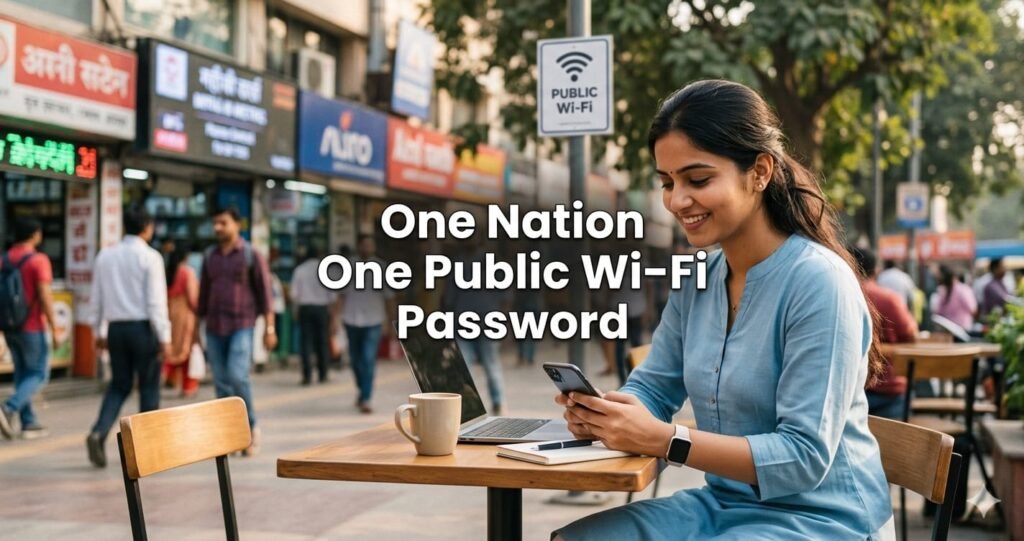
What Is the “One Nation One Public Wi-Fi Password” Proposal?
The Telecom Regulatory Authority of India (TRAI) is proposing a One Nation One Public Wi-Fi Password system to upgrade the existing PM-WANI (Prime Minister’s Wi-Fi Access Network Interface) framework.
The main goal is to create a smoother and more secure public internet experience across India by allowing users to connect with a single login system nationwide.
If approved, users may no longer need separate passwords or repeated OTP verifications every time they connect to a different public hotspot.
One Nation One Public Wi-Fi Password Could Cover 4 Lakh Hotspots
One of the biggest highlights of the proposed system is the possibility of using one OTP or password across nearly 4 lakh public Wi-Fi hotspots in India.
This means users traveling between cities, railway stations, cafes, airports, or public spaces could access Wi-Fi networks without repeated registrations.
The proposed One Nation One Public Wi-Fi Password framework aims to offer:
Single login access across networks
Faster internet connectivity experience
Easier authentication process
Uniform user experience nationwide
Better digital payment security
The proposal is currently in the consultation phase, where public feedback is being collected before any final implementation.
Why TRAI Wants to Upgrade PM-WANI
The existing PM-WANI system already provides public Wi-Fi access in several locations, including thousands of railway stations and public areas.
Currently, authentication is generally done using:
OTP-based verification
Electronic KYC (eKYC)
Mobile number authentication
However, users often face problems like repeated logins, inconsistent connectivity, and separate authentication methods across operators.
The proposed One Nation One Public Wi-Fi Password system aims to fix these issues by creating a seamless nationwide network experience.
Enhanced Security Features Planned Under the New Public Wi-Fi System
TRAI’s proposal also focuses heavily on cybersecurity.
The system is expected to implement advanced standards such as WPA3 (Wi-Fi Protected Access 3), which offers stronger encryption and better protection against cyber threats.
The upgraded framework aims to improve security for:
Despite these protections, cybersecurity experts still warn users to remain cautious while using public networks.
Why Public Wi-Fi Still Carries Serious Risks
Even with password protection, public Wi-Fi networks remain vulnerable to cyberattacks.
Experts say users should always treat public Wi-Fi cautiously because attackers can still attempt:
An “Evil Twin” attack happens when hackers create fake Wi-Fi networks that look similar to legitimate public hotspots in order to steal user data.
The One Rule Experts Say Everyone Must Follow
Cybersecurity experts strongly recommend one simple rule while using the proposed One Nation One Public Wi-Fi Password system:
Use a VPN Immediately
A trusted Virtual Private Network (VPN) encrypts your internet traffic end-to-end, making your data significantly harder to intercept on public networks.
Experts recommend activating a VPN before:
Important Safety Tips for Public Wi-Fi Users
Even if the new system becomes highly secure, experts advise users to follow these best practices:
Check for HTTPS
Always ensure websites show “https://” and a padlock icon in the browser address bar before entering information.
Never Reuse Passwords
Never use your email, banking, or personal account passwords as Wi-Fi passwords.
Use a Password Manager
Store strong and unique passwords using a trusted password manager.
Turn Off Auto-Connect
Disable automatic joining of public networks to avoid connecting to fake hotspots.
Disable File Sharing
Turn off file and printer sharing in device settings when connected to public networks.
Also Read: Recharge Plan 2026 Update: Are You Secretly Paying for 13 Recharges a Year? Big Change Coming!
What You Should Avoid on Public Wi-Fi
Experts strongly advise against performing sensitive activities on public networks without protection.
Avoid:
Banking transactions
Entering credit card details
Logging into confidential work accounts
Accessing sensitive personal information
Even under the proposed One Nation One Public Wi-Fi Password system, cybersecurity risks may still exist.
India’s proposed One Nation One Public Wi-Fi Password initiative could become one of the biggest upgrades to public internet access in the country. The system promises convenience, faster access, and a more seamless nationwide Wi-Fi experience.
However, experts continue to warn that convenience should never replace cybersecurity awareness. Using VPNs, avoiding sensitive transactions, and following safe browsing practices will remain extremely important even after the rollout.
Do you think the One Nation One Public Wi-Fi Password system will make public internet safer and easier in India, or are the risks still too high? Share your thoughts in the comments below.
Disclaimer: This article is published for informational purposes only. Readers are advised to verify details from official sources before making any decisions. The website is not responsible for any loss or damage arising from the use of this information.